Tailscale 子网互通实战教程
网上关于 Tailscale 的教程参差不齐,大家总容易踩坑。我也踩了不少坑,好在最终还是爬出来了。本文将手把手带你实现:通过 Tailscale 子网功能实现不同局域网之间的互访。
一、挑选合适的设备安装
推荐设备如下:
- Linux(推荐)
- Windows
- OpenWrt(推荐)
二、安装 Tailscale
(1) Linux 安装
打开官网:
https://tailscale.com/download/linux
连接你的 Linux 终端(SSH 或控制台)。
执行官网提供的一键安装脚本(确保系统已安装
curl):
curl -fsSL https://tailscale.com/install.sh | sh

安装完成后运行:
tailscale up
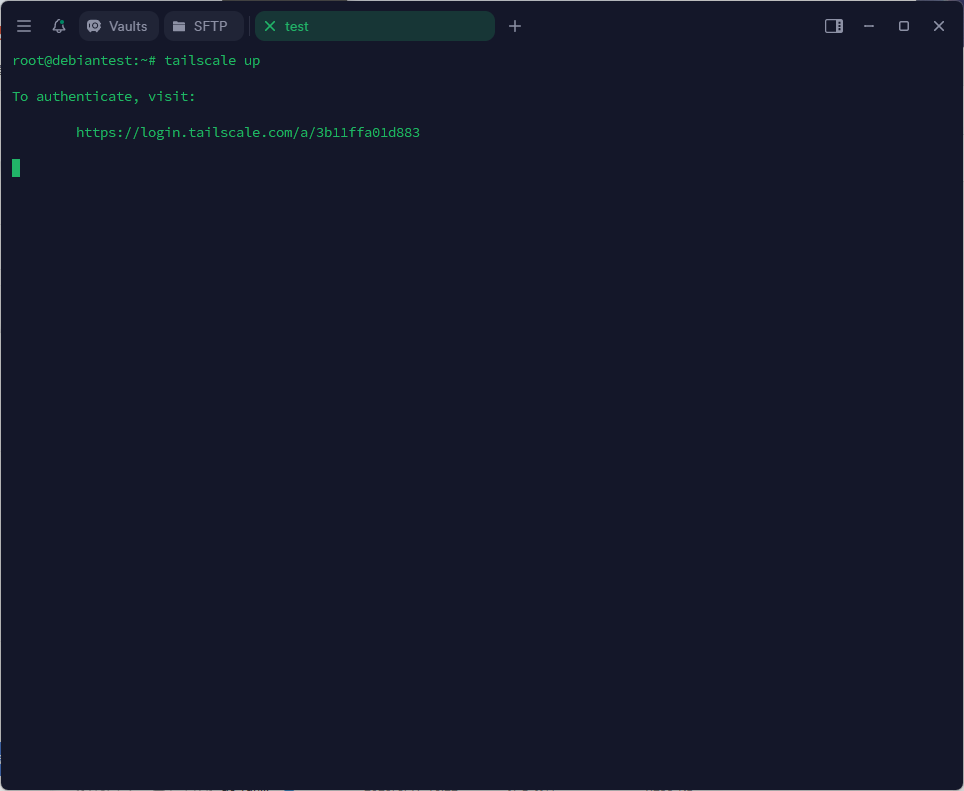
">打开输出的网页链接,登录账号后点击 Connect 授权连接。
(2) Windows 安装
打开官网:
https://tailscale.com/download
下载并安装 Windows 安装包。
安装完成后:
- 若自动弹出登录窗口,则直接登录。
- 否则,在任务栏托盘找到灰色圆点图标,右键点击 Log in。

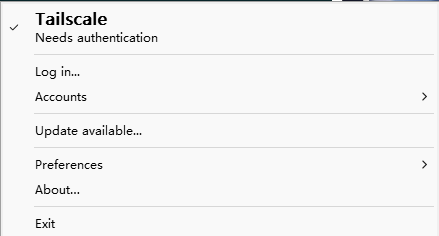
登录账号并点击 Connect。
(3) OpenWrt 安装
注意:OpenWrt 不在官方支持列表中,建议使用社区项目进行安装。
项目地址:
https://github.com/CH3NGYZ/tailscale-openwrt
国内访问安装命令:
wget -O /tmp/install.sh http://ghproxy.ch3ng.top/https://raw.githubusercontent.com/CH3NGYZ/tailscale-openwrt/chinese_mainland/install.sh && chmod +x /tmp/install.sh && /tmp/install.sh && rm -f /tmp/install.sh国际通用安装命令:
wget -O /tmp/install.sh https://gh-proxy.com/raw.githubusercontent.com/CH3NGYZ/tailscale-openwrt/chinese_mainland/install.sh && chmod +x /tmp/install.sh && /tmp/install.sh && rm -f /tmp/install.sh">安装完成后,浏览器打开 Tailscale 授权链接,登录并点击 Connect。
三、启用子网路由(subnets)
本章节对于 Linux 和 Openwrt 只需要在对应安装了Tailscale的机器上运行命令即可,对于windows则需要手动打开CMD输入命令即可。
示例命令:
tailscale up --advertise-routes=192.168.52.0/24 --accept-routes --accept-dns=false --advertise-exit-node参数说明:
--advertise-routes: 启用并广播指定的子网段(需替换为你的网段)。--accept-routes: 接受其他设备的子网路由。--accept-dns=false: 禁用默认的 Tailscale DNS,避免断网。--advertise-exit-node: (可选)启用出口节点功能。
额外配置步骤:
Linux:开启 IP 转发
编辑 /etc/sysctl.conf,取消以下两行的注释:
net.ipv4.ip_forward=1

net.ipv6.conf.all.forwarding=1
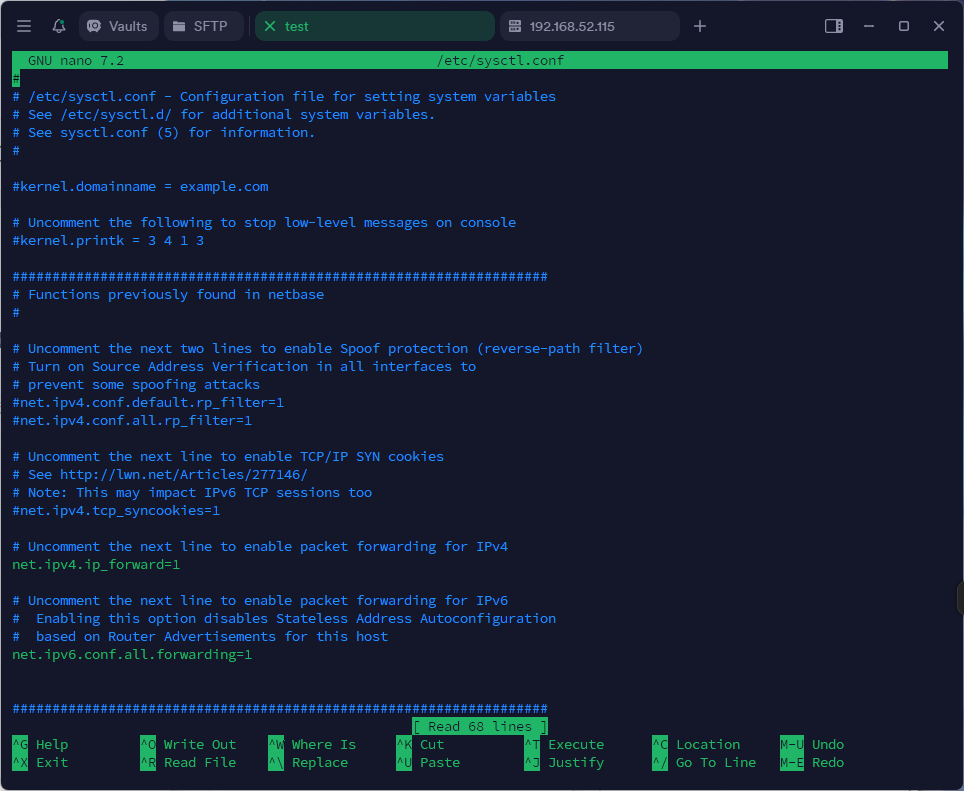
然后运行以下命令生效:
sysctl -p
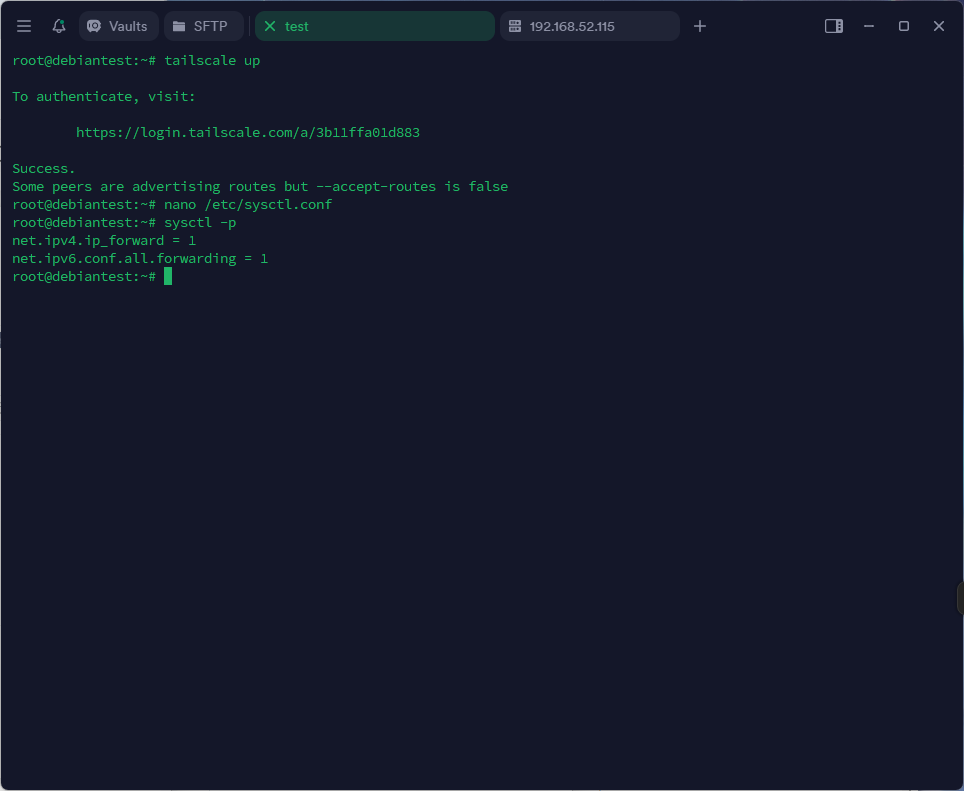
OpenWrt:
进入 WebUI →接口 → 添加新接口:
- 名称:
Tailscale - 协议:静态地址
- 设备:
tailscale0
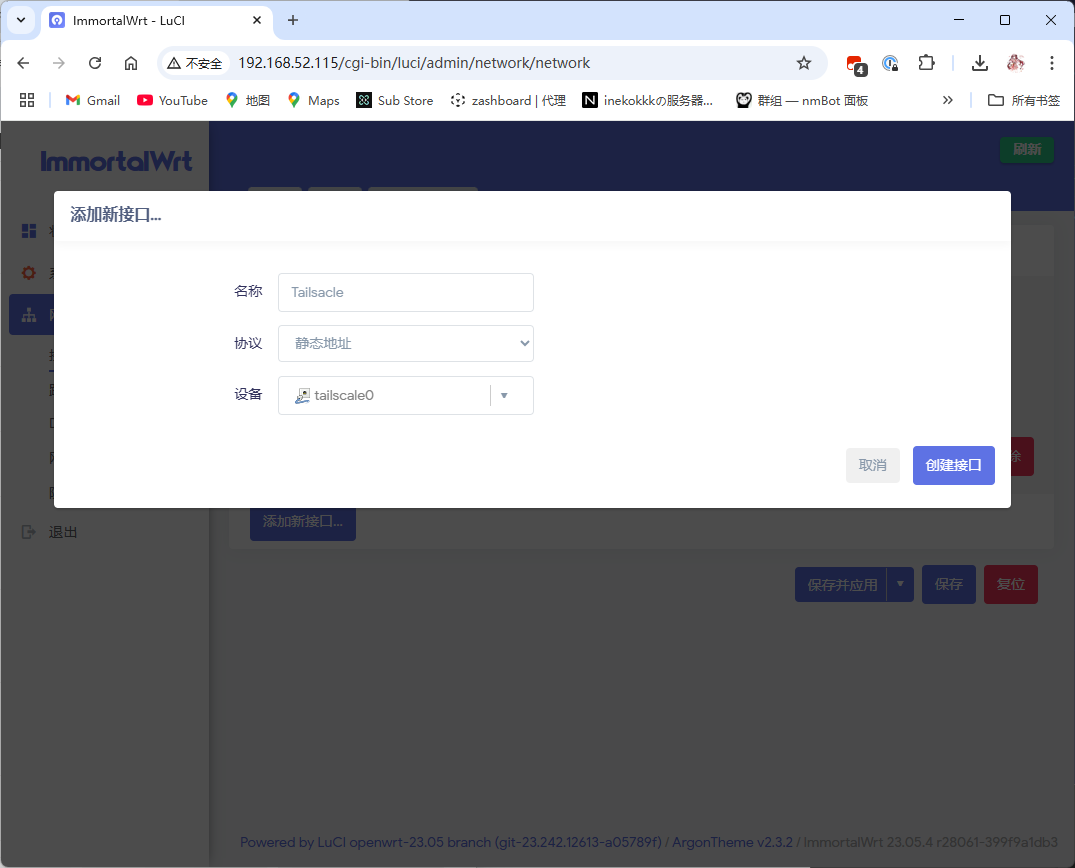
- 名称:
- 设置 IP 地址(在 Console 找到分配的 Tailscale 地址)
子网掩码:255.0.0.0

防火墙设置:
- 将 Tailscale 接口划入 LAN 区域
">⚠️ 此操作存在一定风险,个人使用问题不大
四、控制台批准路由
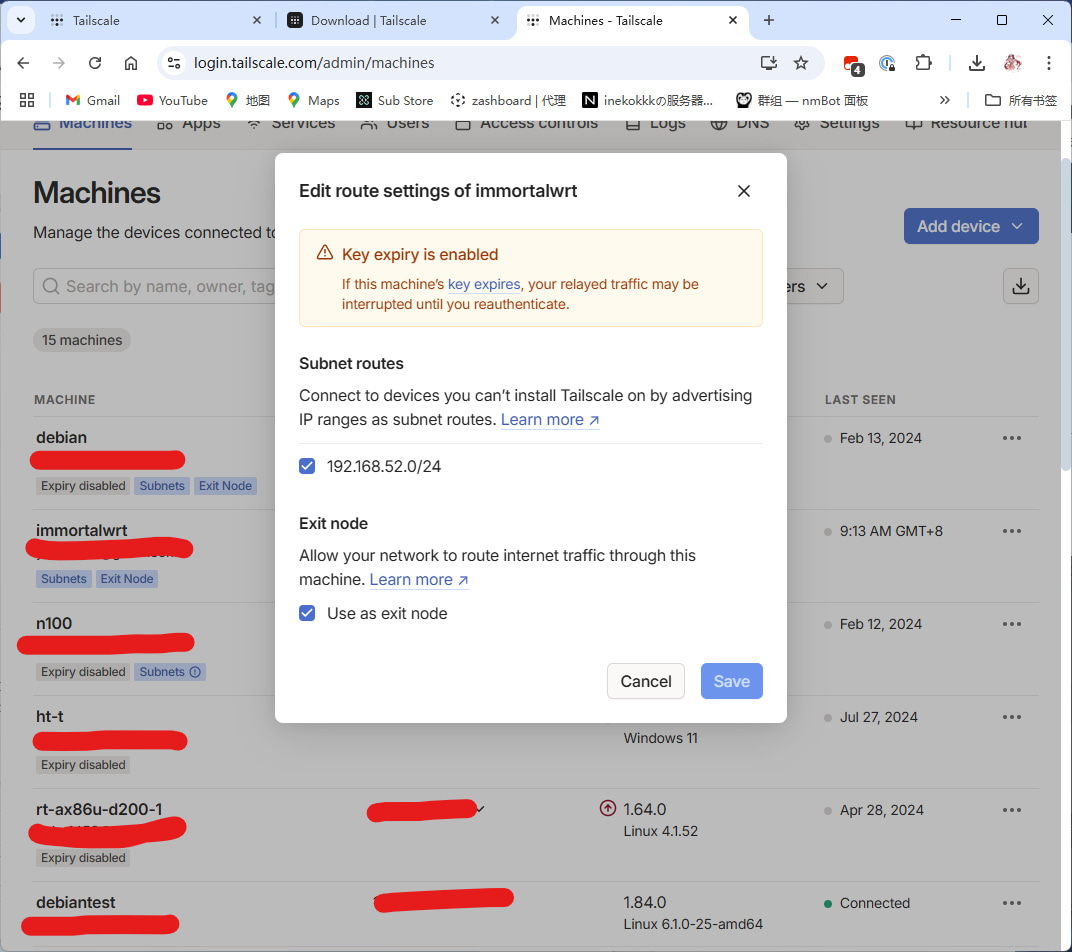
找到你启用了子网路由的设备,点击右侧的三点菜单 → Edit route settings
勾选:
Enable subnet routesUse as exit node(如已启用)
点击保存。
✅ 建议禁用密钥过期,避免频繁授权。
五、下载安装 Tailscale 客户端
下载安装手机或电脑端 App 并登录账号。
设备列表中应出现你前面添加的设备。
你现在可以用手机流量直接访问家中路由器后台了!
六、不同局域网互访配置
完成前述子网接入后,若两地设备均已加入 Tailscale 子网路由,可互访子网。
(1) 主路由模式(OpenWrt 为主路由)
大多数情况可直接访问,如不能互通:
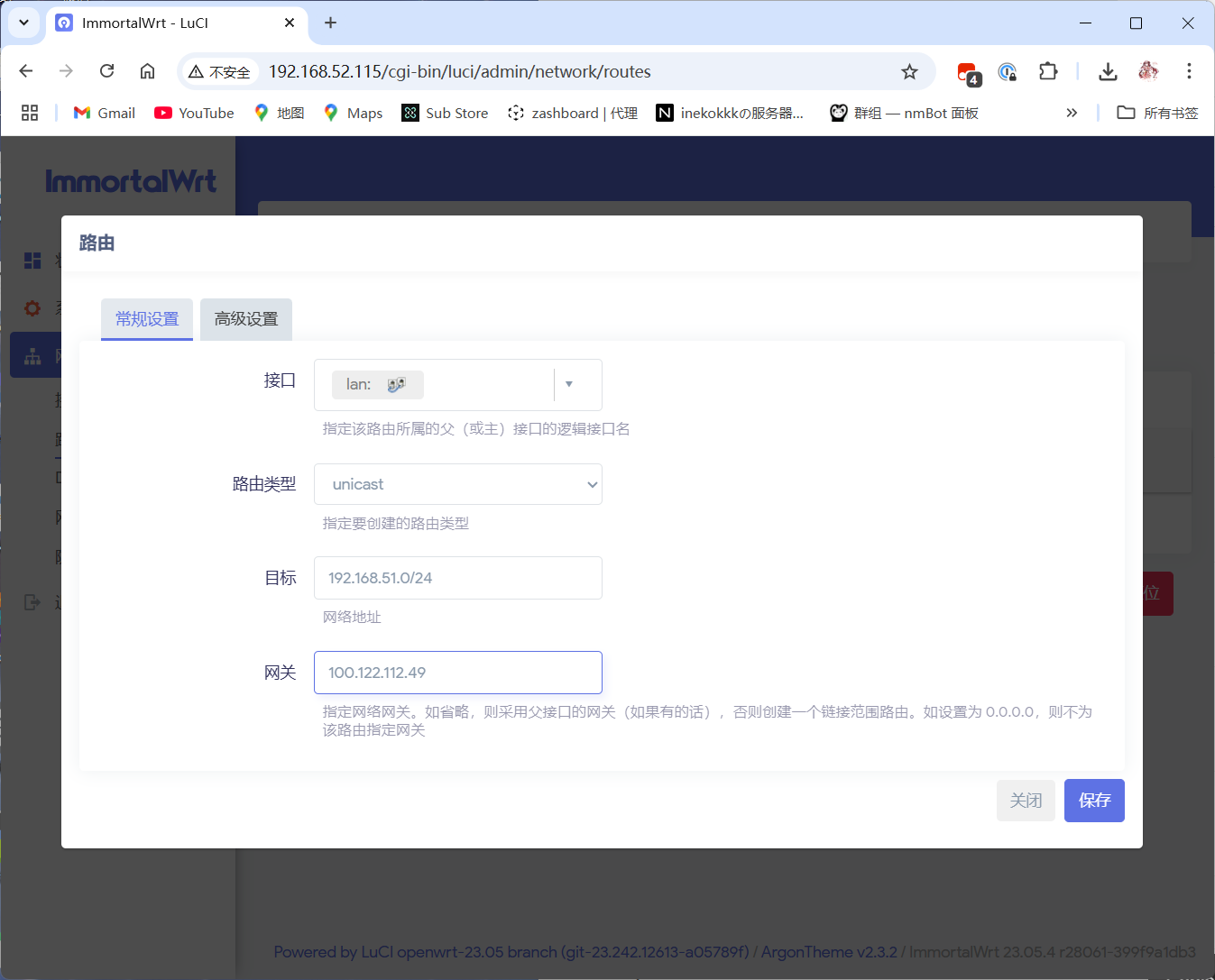
打开 WebUI → 网络→路由 → 添加静态 IPv4 路由
- 接口:
lan - 路由类型:
unicast - 目标地址:另一个子网网段
- 网关:该段所连接机器的 Tailscale IP
- 接口:
保存并应用。
(2) 旁路由模式
- 若旁路是 OpenWrt,可参考主路由方式设置静态路由。
若不是 Openwrt 或是其他设备可以在主路由手动指定静态路由(以爱快为例):
- 登录爱快后台 → 静态路由设置
- 添加配置:
- 接口:内网接口
- 协议:IPv4
- 目标地址:目标子网(远端需要互访的子网)
- 掩码:
/24
">网关:运行 Tailscale 的设备 IP
七、通过 Tailscale 回家并科学上网
以 Shellcrash 为例:
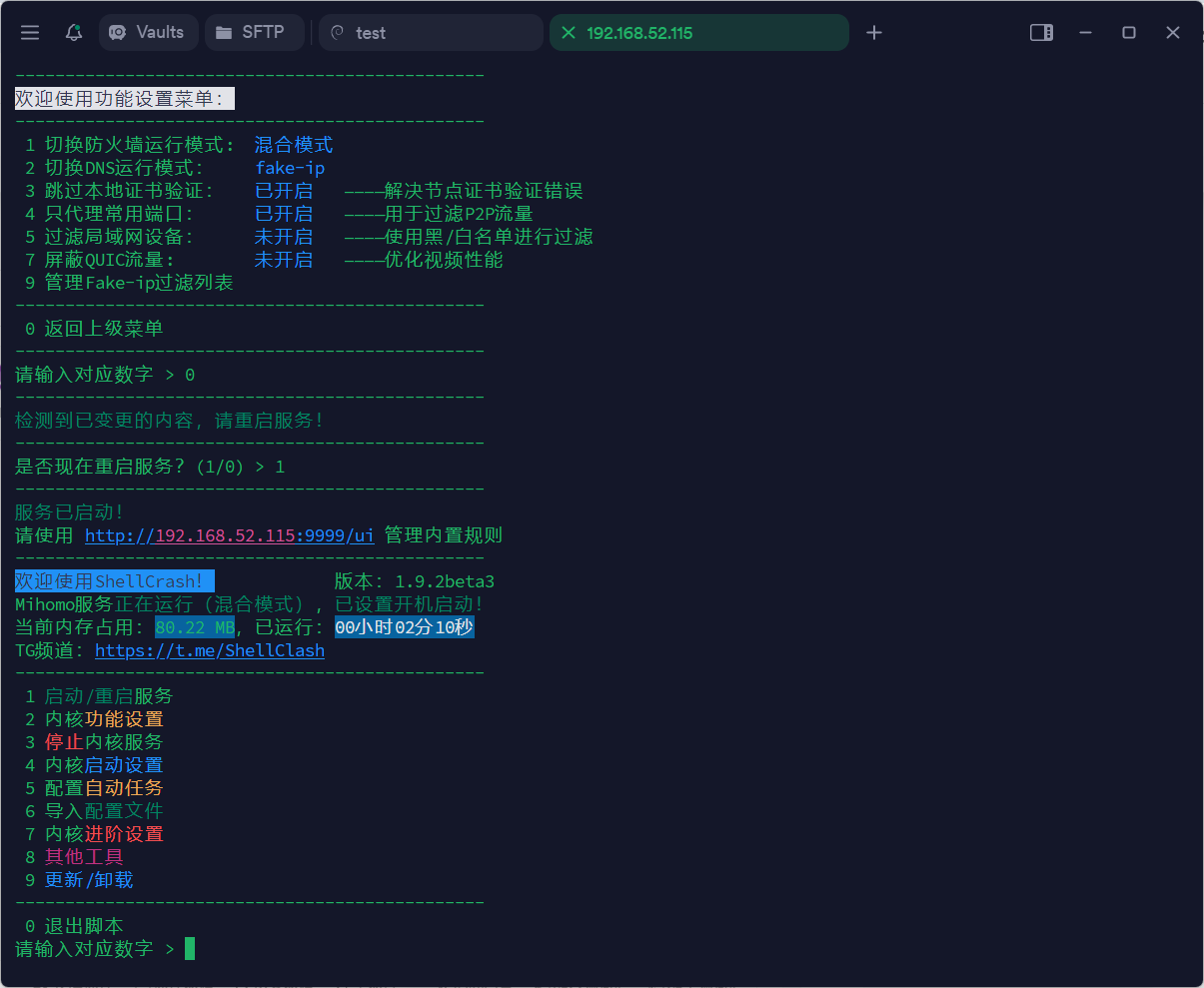
SSH 连接 Shellcrash 机器,执行:
2-1 → 7 → 6-2
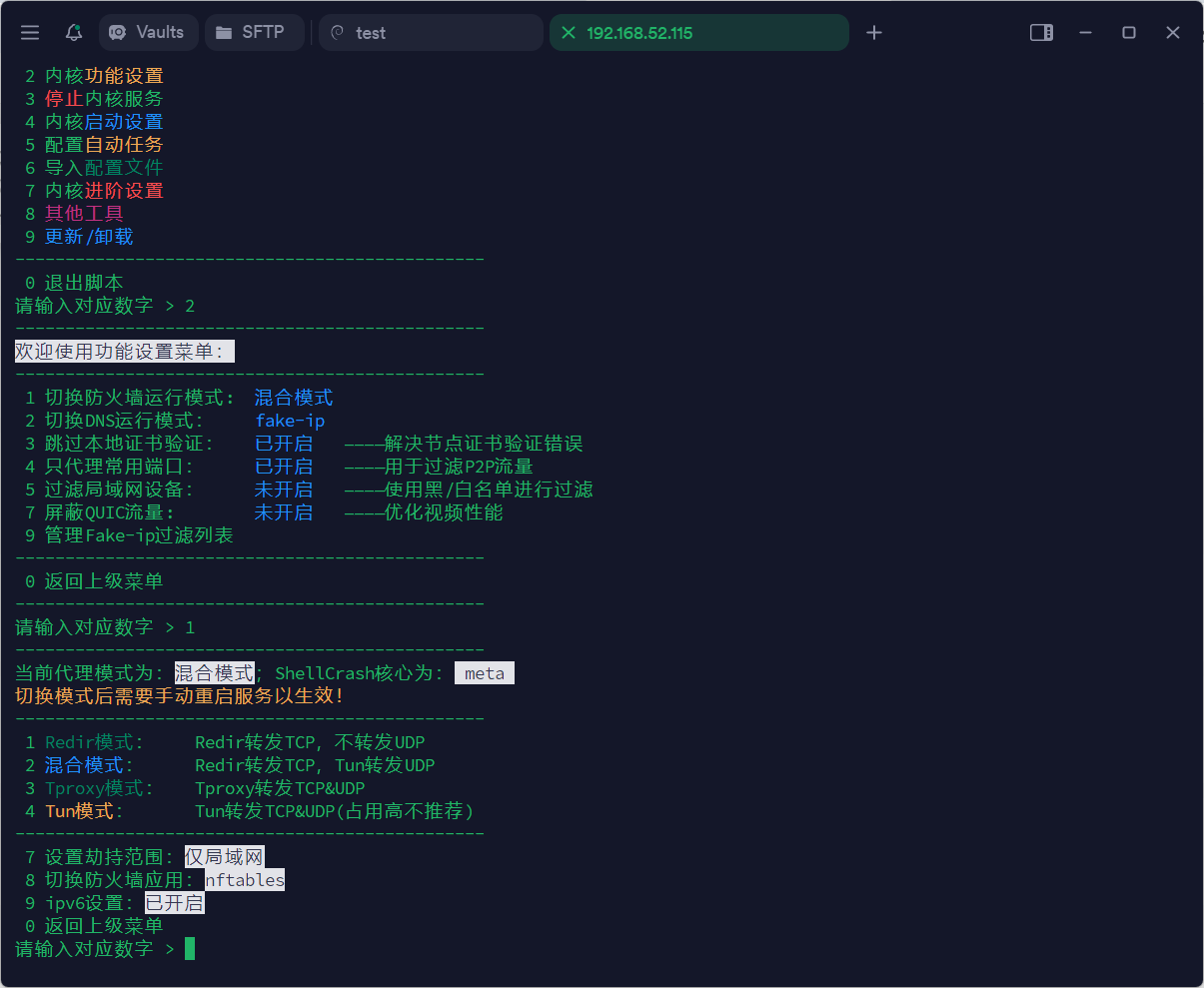
- 填写 Tailscale 的网段。
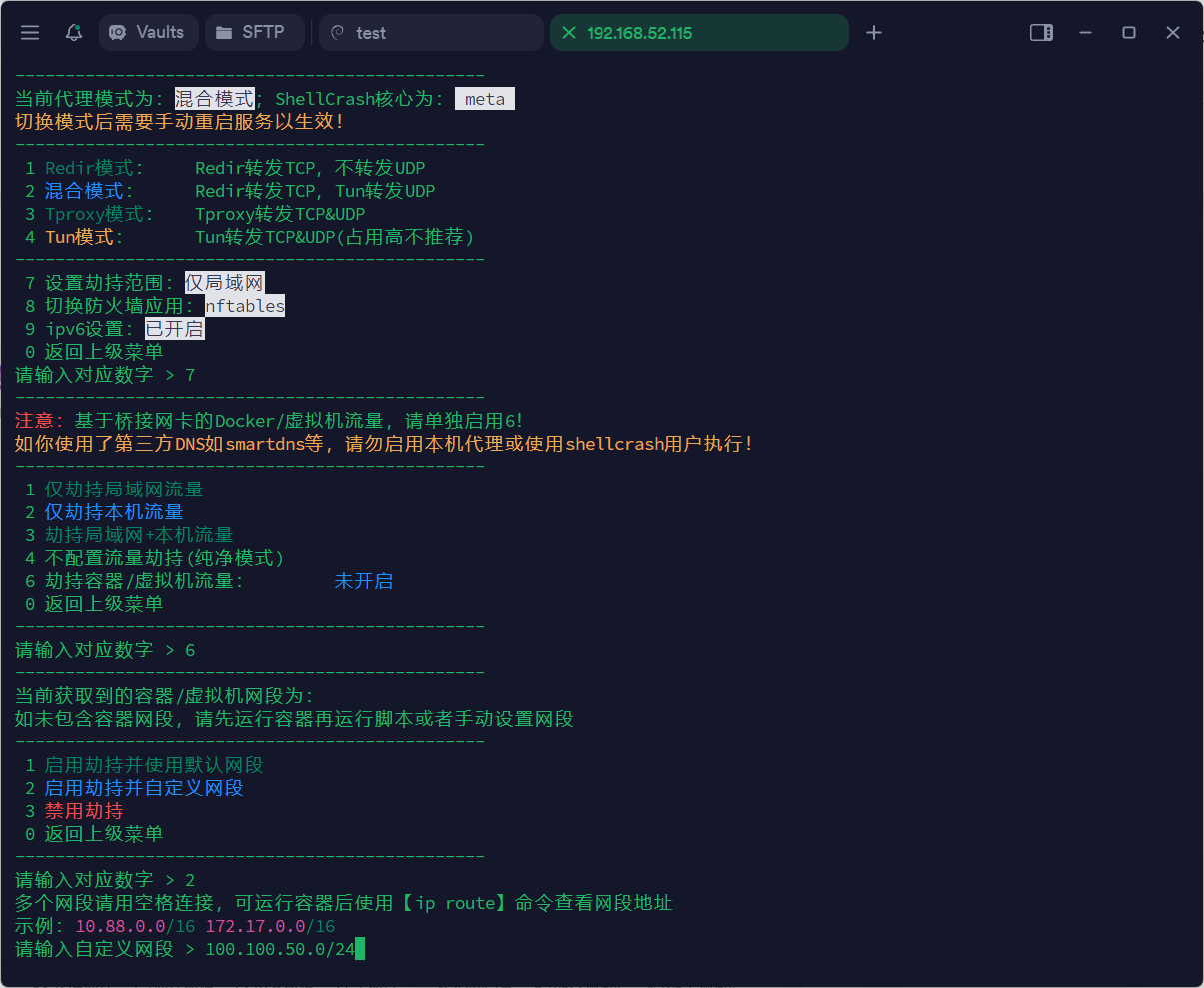
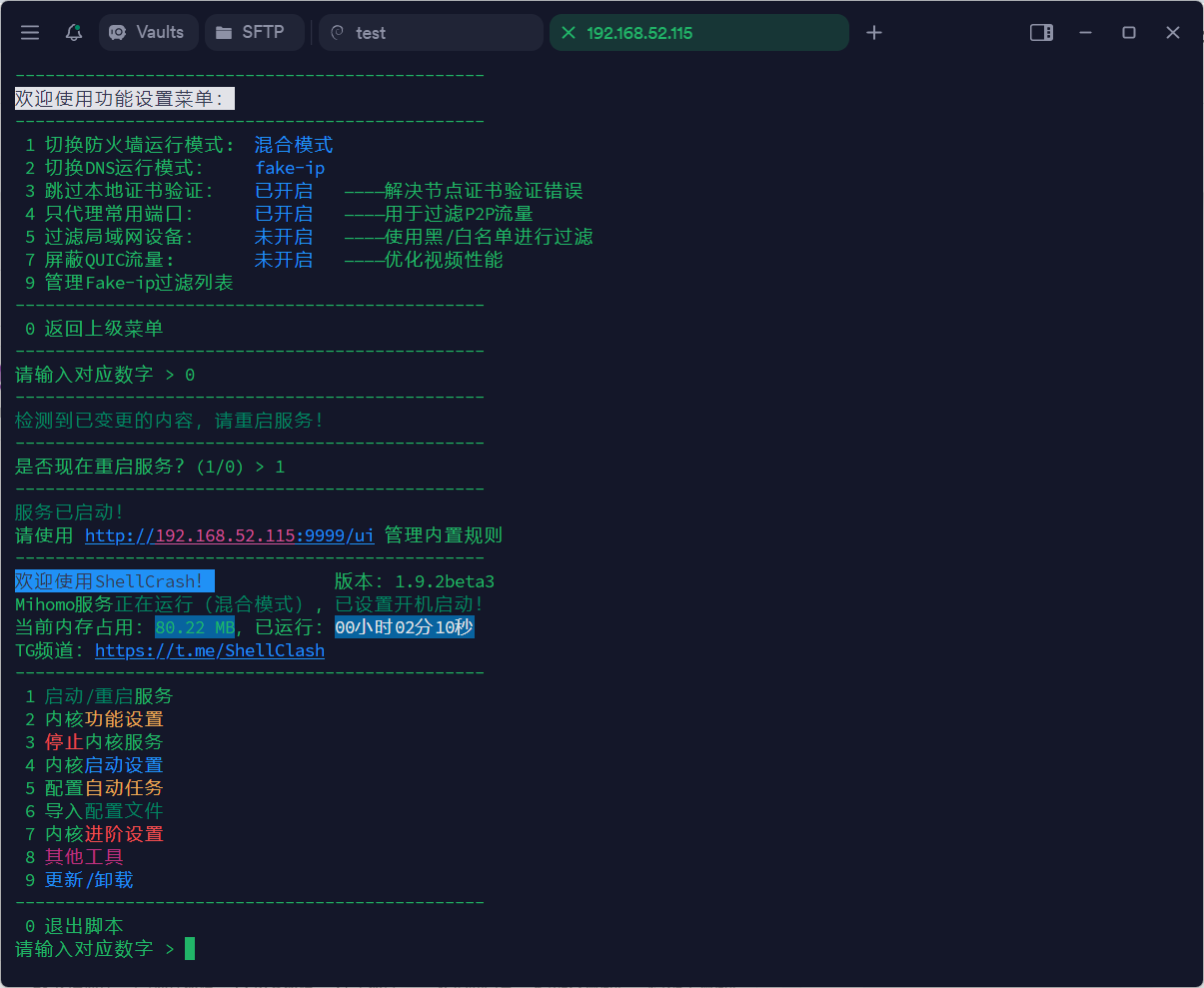
- 一路按
0返回主菜单并重启服务。
在手机端 Tailscale:
- 连接后设置出口节点为 Shellcrash 所在机器。
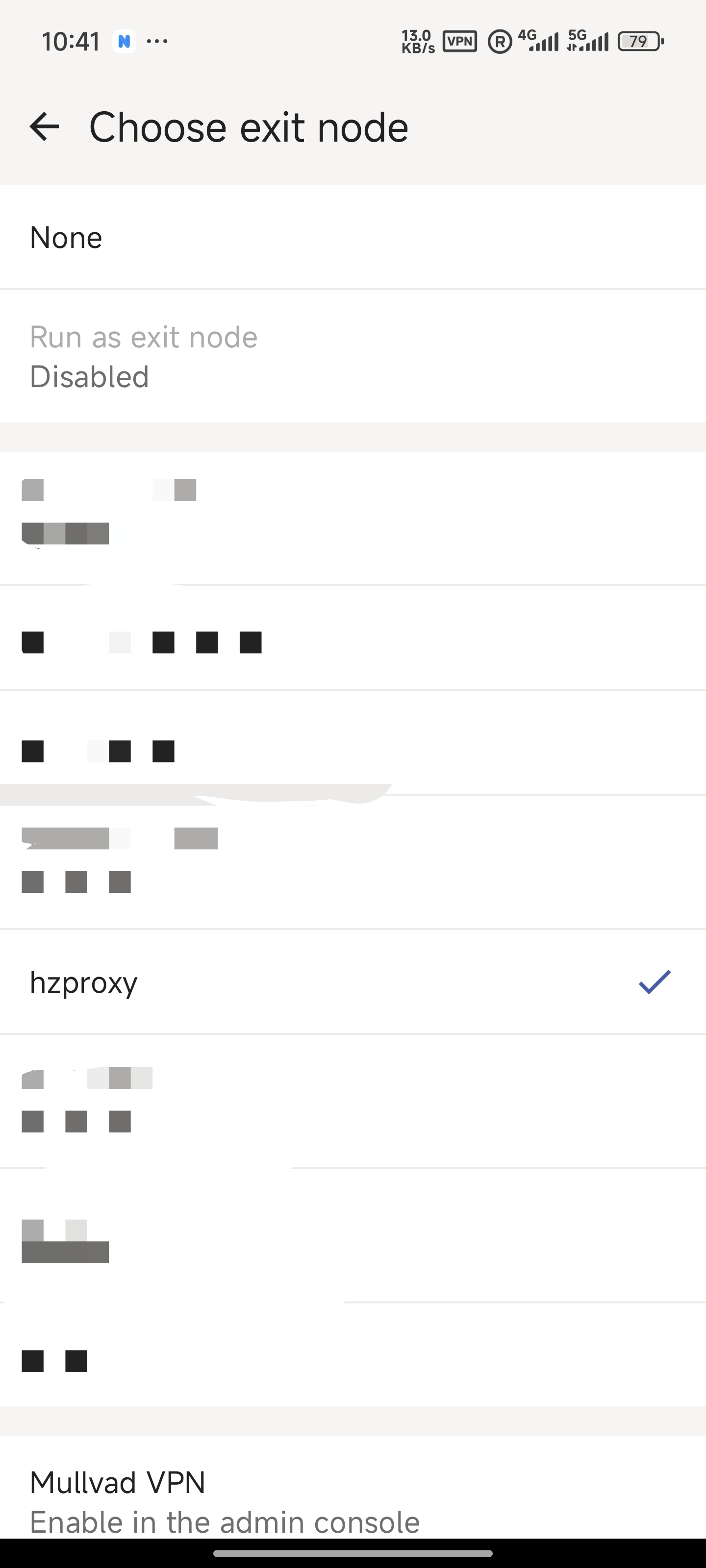
✅ 成功后即可实现同时「访问家中内网」+「科学上网」双功能!
- 连接后设置出口节点为 Shellcrash 所在机器。